The Best AI Comic Generator Apps in 2026
June 22, 2026 · 8 min read
AI comic generators have come a long way. A couple of years ago, the best you could hope for was a single stylized portrait or a string of unrelated panels that looked like they belonged to five different stories. In 2026, the tools are smarter, faster, and far more capable — but they are not all built for the same job. Some are made for professional webtoon artists, some for quick social cartoons, and some for turning your own life into an ongoing comic.
This guide breaks down the leading options honestly, including where each one shines and where it falls short. No hype, no invented stats — just a fair look at what actually works.
What to look for in an AI comic generator
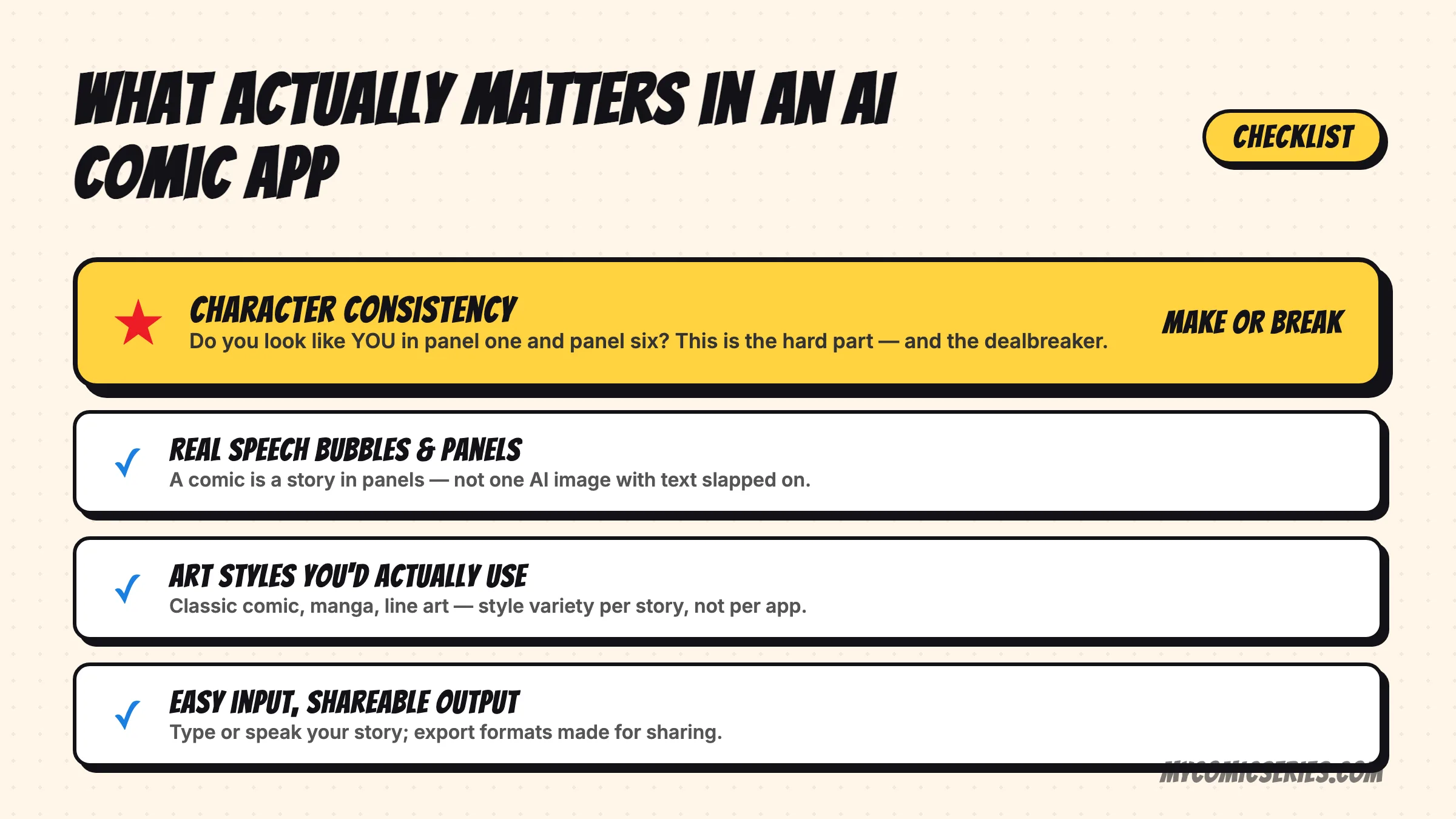
Before comparing apps, it helps to know what separates a good comic tool from a frustrating one. These are the factors that matter most:
- Character consistency. This is the single hardest problem in AI comics. Can the same character look like themselves across multiple panels and multiple stories? Many tools generate a beautiful image once, then produce a stranger in the next panel.
- Ease of use. Do you need to write detailed prompts and fight with settings, or can you describe a moment in plain language and get a usable result?
- Art styles. A flexible tool offers a range of looks — manga, western comic, soft storybook, retro newspaper strip — so your comic matches the mood you want.
- Mobile vs web. Some tools live on the desktop and assume a keyboard, mouse, and patience. Others are designed for your phone, where most people actually capture stories and photos.
- Pricing. Look at whether a tool is free, freemium, or subscription-based, and what the free tier actually lets you make before it asks for payment.
- Export & sharing. Can you download a clean, high-resolution strip and share it easily, or are you stuck with watermarks and awkward formats?
The main categories of tools in 2026
Most options on the market today fall into a handful of categories. Here is an honest look at the notable ones.
Dashtoon — the web platform for serious creators
Dashtoon is a web-focused platform aimed at people who want to build comics and webtoons with some ambition. It offers a studio-style editor with panels, characters, and AI-assisted art, and it is a strong choice if you are publishing episodic content. The trade-off is that it is built around a desktop workflow and a learning curve. If you just want to turn today's family moment into a quick strip on your phone, it can feel like more tool than you need.
ToonMe — great cartoons, but not a story
ToonMe is excellent at one specific thing: turning a single photo into a polished cartoon or caricature. It is fast, fun, and the results look good for avatars and profile pictures. The limitation is built into its purpose — it makes one stylized image, not a multi-panel story with a beginning, middle, and end. There is no real narrative or recurring character arc here.
AI Comic Factory — free, fun, inconsistent
AI Comic Factory is a free, web-based generator (originally popularized on Hugging Face) that lets you type a prompt and get a full comic-page layout in seconds. It is a great way to experiment without spending anything. The honest catch is character consistency: faces and outfits tend to drift from panel to panel, so it works better for one-off gags than for an ongoing series with a character who needs to look the same every time.
Canva — flexible templates, manual effort
Canva is not an AI comic generator in the strict sense, but plenty of people use it to assemble comics from templates, stickers, and their own images. It gives you total layout control and a familiar editor. The downside is that the comic art itself is on you — you are arranging elements by hand rather than generating a coherent illustrated scene, and keeping a consistent character across panels is entirely manual.
ChatGPT, DALL·E & general image tools
General-purpose AI image tools like ChatGPT's image features and DALL·E can produce impressive single panels and have improved a lot at following references. But building a real comic with them means manual prompting for every panel, careful wording to keep a character recognizable, and stitching the panels together yourself. The ceiling is high, but so is the effort, and consistency still takes work.
My Comic Series — mobile-first, personal, story-driven
My Comic Series takes a different angle from most of the tools above. It is a mobile-first iOS app built around two ideas: keeping a consistent personal character across panels and across stories, and turning your photos and everyday moments into comics without prompt-engineering. You describe what happened — or hand it a photo — and it builds an illustrated strip starring a character that actually looks like the same person each time.
To be balanced about it: My Comic Series is focused and opinionated rather than a do-everything studio. It is designed for personal storytelling and journaling rather than publishing a large professional webtoon, and it is available on the App Store. If consistent personal characters from your own life are what you care about most, that focus is the point. You can see more on the features page.
How to choose the right one
With the categories laid out, picking the right tool comes down to matching it to your actual goal:
- Decide what you are making. A one-off cartoon, a recurring personal comic, or a published webtoon are three very different jobs.
- Check consistency against your needs. If your character only appears once, drift does not matter. If they recur, it matters more than anything else.
- Match the device to your habit. If you capture moments on your phone, a mobile-first app will fit your life better than a desktop studio.
- Try the free tier first. Almost every tool lets you test something before paying, so make a real comic before committing.
The bottom line, by use case
There is no single best app — there is a best app for what you are trying to do:
- For journaling and personal storytelling: a mobile-first, character-consistent tool like My Comic Series is the natural fit, since the whole value is the same character living out your real moments over time.
- For quick social content and gags: AI Comic Factory or a general image tool gets you a shareable panel fast, and consistency matters less for one-offs.
- For a single stylized cartoon or avatar: ToonMe is purpose-built and hard to beat.
- For publishing an ongoing webtoon: a full platform like Dashtoon, or a hands-on workflow in Canva, gives you the control a serious project needs.
If your goal is to turn your own life and the people in it into an ongoing comic with characters who stay recognizable, that is exactly the gap My Comic Series is built to fill. You can download it on the App Store and try it.
Turn your story into a comic
My Comic Series turns your photos and everyday moments into comics — on your iPhone.
Keep reading
How to Turn Your Photos Into Comics (2026 Guide)
A step-by-step guide to turning your photos into comic strips with AI — from picking the right photo to keeping your characters consistent.
🎭How to Create Consistent Comic Characters with AI
Character consistency is the hardest part of AI comics. Here's why it's so tricky — and how to get characters that look the same every time.
🎨AI Comic Art Styles Explained: Which One Should You Use?
Classic comic, manga, line art, pop art and more — a tour of the most popular comic art styles and when to use each.